We may earn a commission for purchases through links on our site at no cost to you, Learn more.
- Apple Cash allows iPhone users to send, receive, and manage money digitally.
- To transfer Apple Cash to a bank, link your bank account in the Apple Wallet app.
- You can choose between Instant Transfer (small fee, near-instant processing) and Standard Transfer (free, takes 1-3 business days).
- To initiate a transfer, open Wallet, select “Transfer to Bank,” enter the amount, and confirm.
- Verify your bank details carefully to avoid transfer issues.
- Keep your iPhone and Wallet app updated for smooth functionality.
- Troubleshoot transfer issues by checking balance, bank info, or contacting Apple Support.
- Knowing how to deposit Apple Cash into your bank account adds flexibility to your financial management.
Apple Cash has made it easier for iPhone users to manage money, make payments, and receive funds directly through their devices. However, if you’re looking to transfer your Apple Cash funds into your bank account, you might be wondering how to do this quickly and efficiently.
In this blog post, we’ll walk you through everything you need to know about how to deposit Apple Cash into a bank account. With clear steps, tips, and insights, you’ll be able to confidently transfer your Apple Cash to your bank in no time.
How to Deposit Apple Cash into Bank Account
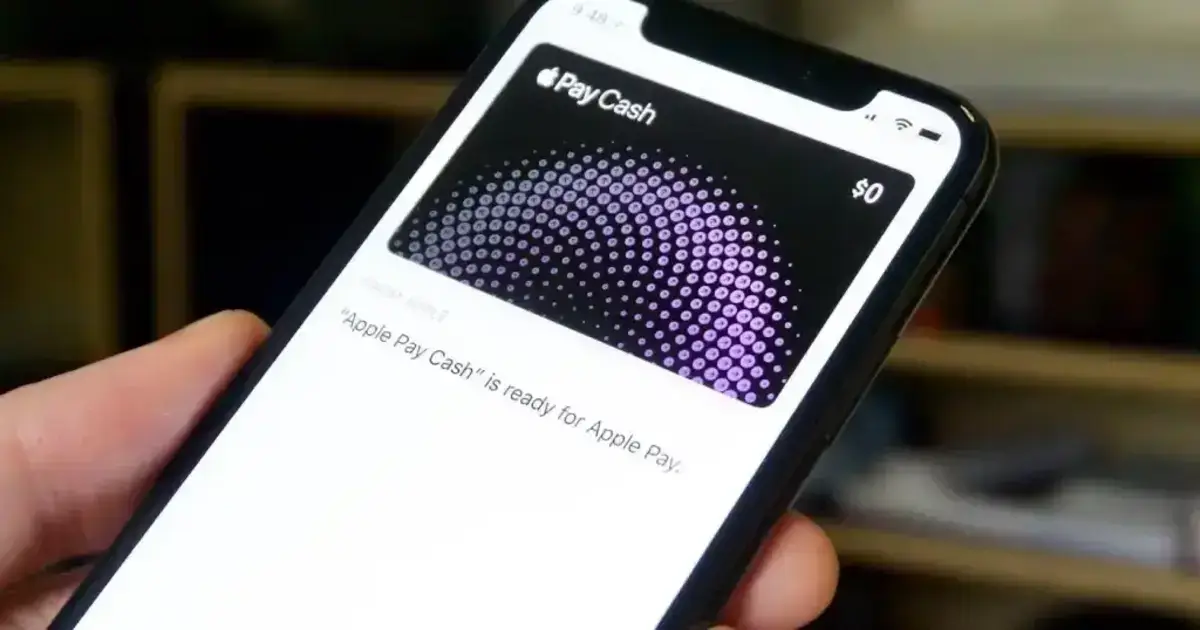
Apple Cash is a convenient, digital way for iPhone users to send, receive, and manage funds. It works directly within Apple Wallet, making transactions as easy as sending a text. Apple Cash can be used for purchases in stores, online, or even through Apple Pay. However, if you prefer to have your funds in your bank account, it’s essential to understand how to deposit Apple Cash into a bank account. Let’s dive into the steps and best practices for a smooth transfer.
Understanding Apple Cash and How It Works
Before learning how to deposit Apple Cash into a bank account, it’s essential to understand what Apple Cash is and how it functions. Apple Cash is part of Apple Wallet, enabling users to send money instantly through Messages or Apple Pay. It’s convenient for peer-to-peer transfers, especially within the Apple ecosystem. The funds are stored as Apple Cash balance and can be used for transactions or withdrawn to a linked bank account.
Apple Cash operates similarly to a digital wallet. If you have funds in your Apple Cash account and wish to deposit them into your bank, follow the steps provided below to understand how to initiate the process.
Linking Your Bank Account to Apple Cash
Before you can deposit Apple Cash into a bank account, you need to link your bank account to Apple Cash. Here’s how you can do this:
- Step 1: Open the Wallet app on your iPhone.
- Step 2: Tap on the Apple Cash card.
- Step 3: Tap the three-dot icon in the upper-right corner, then select “Bank Accounts” from the options.
- Step 4: Follow the prompts to enter your bank account details, such as your account number and routing number.
Once your bank account is successfully linked, you’ll be ready to transfer Apple Cash to your bank. This step is essential, so ensure your bank information is correct to avoid any issues when you deposit Apple Cash into your bank account.
Transferring Apple Cash to a Bank Account: Instant Transfer vs. Standard Transfer
When it comes to depositing Apple Cash into your bank account, there are two main options: Instant Transfer and Standard Transfer. Both methods are easy to use but differ in terms of processing time and fees.
- Instant Transfer: With Instant Transfer, funds are typically deposited into your bank account within 30 minutes. There’s a small fee for using Instant Transfer, usually around 1% of the transfer amount, with a minimum fee of $0.25 and a maximum fee of $10.
- Standard Transfer: This option is free but can take one to three business days to complete. Standard Transfer is ideal if you don’t need immediate access to the funds in your bank account.
Knowing these two options allows you to choose the one that best suits your needs. Whether you prefer speed or savings, selecting the correct transfer type is key to efficiently depositing Apple Cash into a bank account.
How to Perform an Instant Transfer from Apple Cash to Bank
To use the Instant Transfer method, follow these steps:
- Open Wallet: Open the Wallet app on your iPhone and tap on your Apple Cash card.
- Select ‘Transfer to Bank’: Choose the option that says “Transfer to Bank.”
- Enter Amount: Enter the amount you wish to transfer.
- Choose Instant Transfer: Select “Instant Transfer.”
- Confirm: Verify your bank account details, then confirm the transaction.
With Instant Transfer, your funds should appear in your bank account within half an hour. Instant Transfer is a great choice if you need quick access to the cash in your bank account.
How to Perform a Standard Transfer from Apple Cash to Bank
For a no-fee alternative, Standard Transfer is a practical option. Here’s how to do it:
- Open Wallet: Launch the Wallet app and open your Apple Cash card.
- Tap ‘Transfer to Bank’: Select “Transfer to Bank” from the available options.
- Enter Amount: Specify the amount you want to deposit into your bank account.
- Choose Standard Transfer: Select the Standard Transfer option.
- Confirm: Double-check your bank account details and complete the transfer.
Standard Transfer will deposit Apple Cash into your bank account within one to three business days. While not as fast as Instant Transfer, it’s a cost-effective way to transfer funds without paying extra fees.
Tips for a Smooth Apple Cash Transfer Process
To make the process even easier, consider these tips:
- Double-Check Your Bank Information: Ensure your account and routing numbers are entered correctly. An error here could delay or even prevent the transfer.
- Keep Your iPhone Updated: Make sure your iPhone and Wallet app are updated to the latest versions to avoid software issues.
- Check Apple Cash Balance: Verify your Apple Cash balance before initiating the transfer. If your balance is low, you may need to adjust the transfer amount or add funds.
- Monitor Transfer Limits: Apple Cash has daily and weekly transfer limits. If you’re transferring a large amount, ensure you’re within these limits to avoid delays.
These steps help ensure that the transfer process goes smoothly without any complications, making it easier to deposit Apple Cash into your bank account.
Troubleshooting Common Issues with Apple Cash Transfers
If you encounter issues while attempting to deposit Apple Cash into a bank account, try these solutions:
- Transfer Declined: If your transfer is declined, it could be due to a low Apple Cash balance or issues with your bank details. Double-check your balance and bank information.
- Transfer Delayed: If using Standard Transfer, the delay might be due to bank processing times. If the delay is excessive, contact Apple Support for assistance.
- Apple Cash Not Available: Some countries or regions may not support Apple Cash. Check Apple’s website to confirm availability in your area.
By following these troubleshooting tips, you can resolve issues quickly and ensure your Apple Cash transfer is successful.
Frequently Asked Questions
Here are some of the related questions people also ask:
How do I transfer Apple Cash to my bank account?
To transfer Apple Cash to your bank account, open the Wallet app, tap on your Apple Cash card, select “Transfer to Bank,” enter the amount, choose either Instant or Standard Transfer, and confirm.
What is the difference between Instant Transfer and Standard Transfer for Apple Cash?
Instant Transfer deposits funds into your bank account within 30 minutes but has a small fee (1% of the transfer amount). Standard Transfer is free but takes 1-3 business days to complete.
Is there a fee to transfer Apple Cash to a bank account?
Yes, Instant Transfer charges a 1% fee, with a minimum of $0.25 and a maximum of $10. Standard Transfer is free of charge.
How long does it take to deposit Apple Cash into a bank account?
Instant Transfer usually takes up to 30 minutes, while Standard Transfer takes 1-3 business days, depending on your bank’s processing time.
Why is my Apple Cash transfer not working?
Issues with Apple Cash transfers could be due to low balance, incorrect bank details, transfer limits, or software issues. Double-check your balance and bank info or contact Apple Support for assistance.
What are the daily and weekly transfer limits for Apple Cash?
The daily limit for Apple Cash transfers is $10,000, and the weekly limit is $20,000. You cannot exceed these limits when transferring funds.
Can I use Apple Cash without linking a bank account?
Yes, you can use Apple Cash for transactions like paying friends or making purchases through Apple Pay. However, to withdraw funds to a bank, you must link a bank account.
Can I transfer Apple Cash to a bank account outside the United States?
No, Apple Cash is only available for U.S. bank accounts. International bank transfers are currently unsupported.
How can I check if my bank account is linked correctly to Apple Cash?
To check, open the Wallet app, tap your Apple Cash card, go to “Bank Accounts,” and verify your account and routing number. Make sure these details are accurate to avoid transfer issues.
The Bottom Line
Learning how to deposit Apple Cash into a bank account is essential for managing your digital finances effectively. Whether you need quick access to funds through Instant Transfer or prefer a free Standard Transfer, Apple Cash offers flexibility to meet your needs.
Depositing Apple Cash into your bank account can be useful for budgeting, saving, or accessing cash more conveniently. Remember, linking your bank account accurately, selecting the right transfer method, and being aware of transfer limits are key factors in ensuring a smooth transfer process.
Apple Cash provides a streamlined, digital solution for handling transactions within the Apple ecosystem. By understanding how to deposit Apple Cash into a bank account, you can enjoy the benefits of Apple Cash while easily transferring funds to a traditional bank account when needed.
With this step-by-step guide, you can confidently manage your Apple Cash funds and enjoy the convenience of modern digital finance. Whether you’re new to Apple Cash or a seasoned user, transferring funds to your bank is a simple yet essential feature for effectively managing your money.